Using the Service Manager SDK together with Powershell

When using Service Manager, you can use the out-of-the-box Powershell-SnapIn “smcmdletsnapin” to get access to a bunch of Powershell cmdlets. These can be used to display and change different objects within  the Service Manager Infrastructure. If this is not enough, you can use the famous smlets for even more cmdlets and possibilities. If you want to go a step further, you can access Service Manager by using the SDK. This can be done programmatically or of course by using Powershell. In this blog post I will show you how to use Powershell to use the Service Manager SDK.
Continue reading

Posted in SCSM | Tagged , , , , | Leave a comment

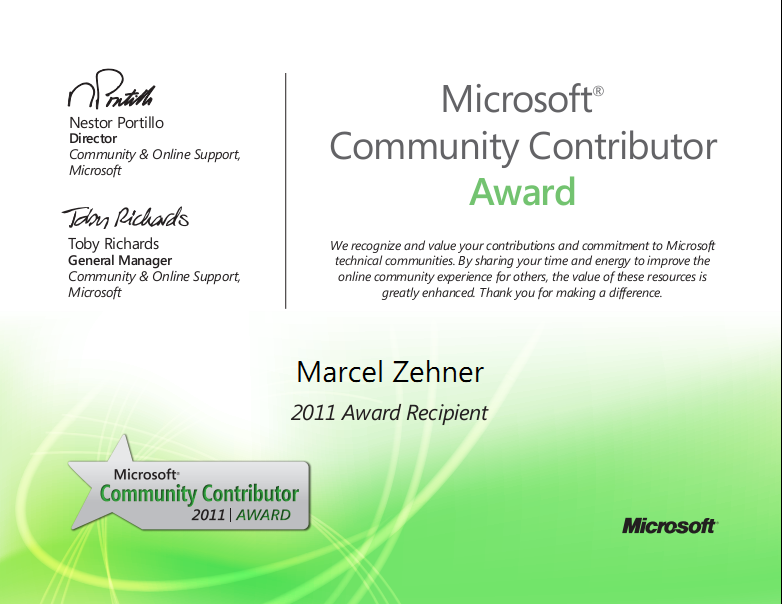
Marcel awarded with Microsoft Community Contributor (MCC)

Today I got an email from Microsoft: I got the Microsoft Community Contributor Award (MCC) for my work in the System Center Service Manager Community. This is really great and motivates me to continue my work. Stay tuned!

regards
Marcel

image

Posted in Exams/Awards | Tagged , , , | 9 Comments

Change the Incident Template used by the Web Portal

The Web Portal allows end users to create Incidents. This is pretty cool because you can move to load for the Incident creation process away from the Service Desk people to the end users. If a new Incident is created, the Portal uses a specified Incident template called “Incident portal template” that will be applied to the newly created Incident. This template cannot be modified because it is stored in  sealed Management Pack. But what would be the steps to select another template to be applied? Just read on …

Continue reading

Posted in SCSM | Tagged , , , , , , | 2 Comments

Notifying Analysts when Action Log was updated

There are several possibilities to update the action log of an incident. Service Manager can update the action log automatically, an analyst can update the action log with a manual antry from the console and endusers can update the action log by using the portal or by email (when using the exchange connector). If an analyst is waiting for user input, it can be painful to constantly check if the incidents were updated. It much more confortable to just wait for an email that tells you that the action log was updated. This can be done by using relationship subscriptions.

Continue reading

Posted in SCSM | Tagged , , | 64 Comments

SCSM Video Series – #1 Extending the Incident class and form

This is the very first part of a new Video Services that will show basic and advanced configuration and customization of Microsoft System Center Service Manager. This is a test run, because I got feedback of customers and also community guys that asked me to do something like this. And here’s the result. I’m very interested what you think about these kind of videos, if they are helpful, if they clarify things etc., so Feedback is very appreciated by using the blog comments function or (even better) by sending me an email to zehner at itnetx dot ch.

This first Video show the extension of the Incident class. The goal is to add additional information when an incident is created.

Continue reading

Posted in SCSM | Tagged , , , , , , , , , , | 11 Comments

Sample MP – Relation between classes, type projections, views and forms

Based on several requests, I created a sample MP that has a class definition with a relationship to another class, a type projection, a view that uses the type projection and a specific form for managing objects of this class. It’s indeed a very simple MP, but it should clarify the relation between those different kinds of MP elements and when to use them.

Continue reading

Posted in SCSM | Tagged , , , , , , , , , | 8 Comments

Remove the extensions tab on the Incident form

I have done this many times in the past months: extending the default Incident class with additional properties. With that you are able to save additional data with an Incident, so that you have all information in place when needed. When the Incident class is extended, you must give the service desk people a chance to set and read values for those properties. This is normally done by adding new controls to the Incident form and then bind them to the specific properties. Beside that, all extensions are also visible on the extension tab. As soon as the Incident class is extended with a property, this tab is automatically added to the Incident form. That also means that the new properties will be visible on the regular form (lets say on the general tab) and also on the extensions tab. Because this could be misleading, it’s possible to hide this tab.

Continue reading

Posted in SCSM | Tagged , , , , , , , | 3 Comments

Changing the Incident Preview Form

When dealing with Incidents, you and your Service Desk people always want the most important information at hand to work effectively. One requirement could be to display information about incidents without opening them. Out of the box this is possible and the SM console displays the most important information about a selected Incident in a preview form. This is indeed helpful, but what if you want to display other information in the preview? Well, that’s possible with a little bit of advanced customization. Just read on …

Continue reading

Posted in SCSM | Tagged , , , , , , | 17 Comments

SCO (System Center Orchestrator) 2012 Beta 1 – Overview

The next Release of Service Manager (SCSM 2012) will be available around end 2011. To drive automation to the next level, SCSM 2012 will contain a connector to System Center Orchestrator 2012 (today known as “Microsoft Opalis”) that allows us to import Runbooks (today known as “Workflows” or “Policies”) into the CMDB. The cool thing about that is, that these Runbooks can later be used as Activities within Service Requests or Change Requests to trigger Orchestrator Runbooks (push trigger). That means, that we will be able to trigger Runbooks to automate our IT Processes directly from the Business Services which really brings Datacenter Automation to the next level! In this blog post, I will give a short overview of SCO Beta 1 that was released some days ago.

Continue reading

Posted in System Center (without SCSM) | Tagged , , , , | Leave a comment

Removing Management Packs with Powershell

When Management Packs are imported, SCSM does some integrity checks to see if the Management Pack is valid. This indeed makes sense because you immediately know when your Management Pack has errors in the code. But there are also times when everything seems to be OK and import is successful, but the Management Pack behaves somehow strange that the Service Manager Console crashes immediately after starting – I had this again today and decided to make a short blog post about solving this problem.

Continue reading

Posted in SCSM | Tagged , , , | 6 Comments